Create a Futuristic Interface in Photoshop
We go to the movies because they thrill us. We go there to escape reality and see things that just aren’t possible in real life. Movies can bring fiction into real life, such as the comic books that we read, and the superheroes that we have grown up with. Iron Man is no exception. We’ve all dreamed of flying around in a robot suit at super sonic speeds, all while shooting missiles, bullets and laser beams at our enemies. The Iron Man movies are full of stunning visuals, and the level of detail incorporated into each scene makes the experience more convincing.
Iron Man 2 was just as big of a hit as the first Iron Man, and it featured some great futuristic UI that just doesn’t exist at this point. Where do these elements come from? Someone has to build them, and believe it or not, they can be created easily right inside of Photoshop. One of the interfaces in the Iron Man 2 movie was an Transparent LG handheld device which Tony Stark used at during the government’s interrogation of him, seen below:

In the following tutorial, I will show you how to create something similar in Photoshop, all with common elements already found inside of Photoshops presets. You’ll use things like ordinary custom shapes to create icons. You’ll learn how to group layers to make them easier to organize and keep up with. you’ll also learn how to use masks and transparency to create subtle variations in your work. When we are finished the result should look similar to the result shown below.
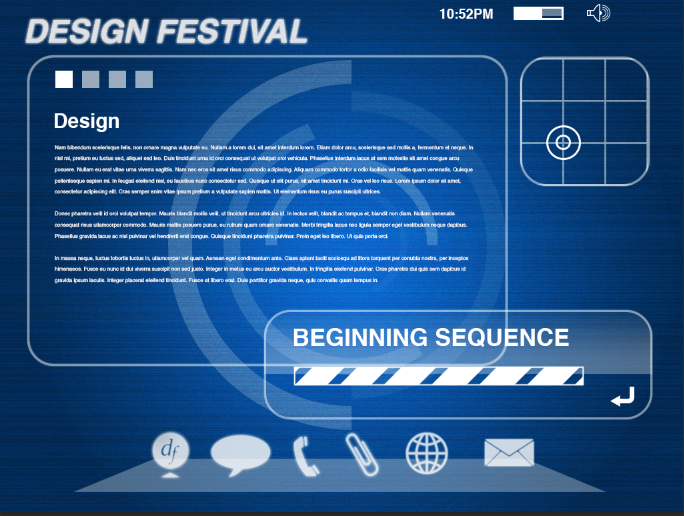
In about 15-20 minutes, you can create this interface that is inspired my Iron Man 2. Created a screened texture, use glow effects, and combine multiple time saving methods for creating crisp work quickly in Photoshop. Enough Introduction, let’s get started!