Photoshop Keyboard Shortcuts Cheatsheet
On Tuesday, I created a list of Photoshop keyboard shortcuts to help you save a lot of time. All of these shortcuts are extremely handy. I decided to create a one-page Photoshop Keyboard Shortcuts Cheatsheet for you to download. You can print it out and post it next to your desk.
If you would like to see the post with these keyboard shortcuts, you can find it here. You’ll find great keyboard shortcuts for things like brushes, transforming and altering text, fills, selections, tools, layers, and more. You’ll know some of these shortcuts, but some you might not know. Below is a preview of the pdf that you can download for free and use as a reference. You’ll find other articles with keyboard shortcuts, such as this one, and this one, but they aren’t as extensive as the cheatsheet that I am providing.
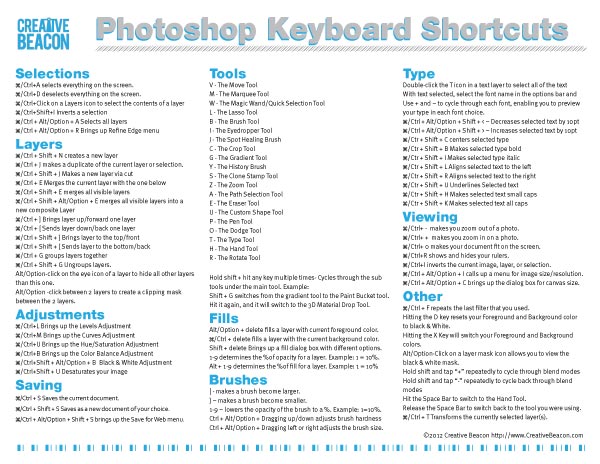
Having a Photoshop keyboard shortcuts cheatsheet will save you tons of time because you won’t have to look anything up via the web. Keep your Photoshop keyboard shortcuts cheatsheet at your fingertips to make it easy to memorize those shortcuts that are hard to remember. Remembering what key combo does what can be difficult and frustrating. After a few weeks, you won’t need your Photoshop keyboard shortcuts cheatsheet at all. You’ll be able to recall most of them from memory.
A lot of these shortcuts will come in handy during production. You can switch your text from regular, to bold, to italic, and you can even switch which typeface you are using with keyboard shortcuts. You won’t believe what you can pull of without using your mouse at all. You’ll wonder how you ever got along without these shortcuts.
How to Get Your Photoshop Keyboard Shortcuts Cheatsheet
Click the button below to be taken to the opt in page.