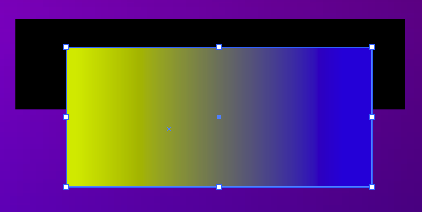
Quiktip- Control the Opacity of Gradients In Illustrator
You can control the opacity of each individual color of a gradient inside of Adobe Illustrator. This is fantastic for flexibility with colors. Simply click on the color swatch of the gradient, and there is an opacity setting on the gradient panel. You can also double click on the swatch to bring up a new dialog box, where the opacity is available there as well. You can do this for every single color in a gradient, no matter how many colors are there.
You might also like:
- Playing with Opacity and FX In Illustrator
- Quiktip- Control the Opacity of Individual Colors In Illustrator
- Blend Colors Easily With Fireworks
- Create a Hand Written Neon Effect with Adobe Illustrator and Photoshop.
- Using Duotones to Achieve Some Interesting Color Effects
- Creating multiple strokes using the appearance panel in Illustrator
- More Gradient Options with Adobe Fireworks
One Response to “Quiktip- Control the Opacity of Gradients In Illustrator”
Leave a Reply
Nice tip, however it doesn’t work with CS3.