Join now, submit a link, or Follow Me

Tag: 3D


Create Amazing 3D with Textures In Photoshop

1st November

In Photoshop CS5, the new Repousse Panel is fantastic, in that you can create 3D from almost anything. You can create a 3D object from a selection, a path, text, a mask, etc. What is really cool is that you can create your own textures, or you can use images as textures to make your objects look more realistic. You aren’t just stuck with the presets given to you. In This tutorial, I am going to show you how to create custom 3D text shaded with textures from images.

First, create a new document. Mine is 1024 x 768 at 72ppi. Then, select your text tool and chose a nice typeface. I tend to choose thicker ones for 3D effects, but the choice is yours. I chose MetaPlus Black.

Read More »


Create 3D Gothic Text In Photoshop

28th October

This tutorial is just in time for Halloween, with an eerie background and 3D text with textures. In Photoshop CS5 the Repousse abilities give you a lot of flexibility, especially with textures, so you can create some really interesting work. This is only available in CS5.

I created a new Photoshop document with the setting 1024 x 768.

I created an eerie background using black as my foreground color and a deep, bloody red as the background color. Then I went to Filter> Render>CLouds. For more contrast, I went back into Filter> Render and this time I chose Difference Clouds.

Then, I went online and found a decent gothic font, like Old London, which will go well with our vampire look. You can download it from Dafont here. Install it in Fontbook, or Extensis, whichever one … Read More »


Art and Design: The Same or Different?

I hear many people, including designers, that say that they love being designers, because they love being artists. Is art and design one and the same? I am not so sure. Clients often say, “You’re an artist, create a web site for me.” Art is more or less for people to see and appreciate, but great design solves a problem, and creates a solution for a client. It doesn’t matter if it is print design, web design, or product design itself.

Many people say that Apple products are well designed, but I don’t see many people hanging their ipods on the wall as art. They use them every day, and it is that ease in use, and the fact that it is designed so well, that makes it handy and pleasurable to use. Imagine an ipod touch where you had to … Read More »


Transforming in Perspective in Illustrator

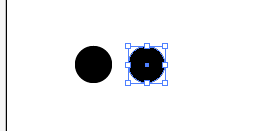
In this tutorial, I am going to show you how to transform an object in perspective in Illustrator. This is extremely handy when trying to make a pattern fit a certain perspective. First, we are going to create a simple circle pattern. Select your ellipse tool, holding shift to draw a circle. Then hold shift and alt and click and drag the circle you just made to drag a copy straight across from the original. Space it about half the width of the circle from the first one.


Then, hit command and the letter D to repeat this action. Hit command and D 6 more times so that you have 8 circles. You can make as many as you like or need. Doing this also makes sure that the circles are spaced exactly … Read More »